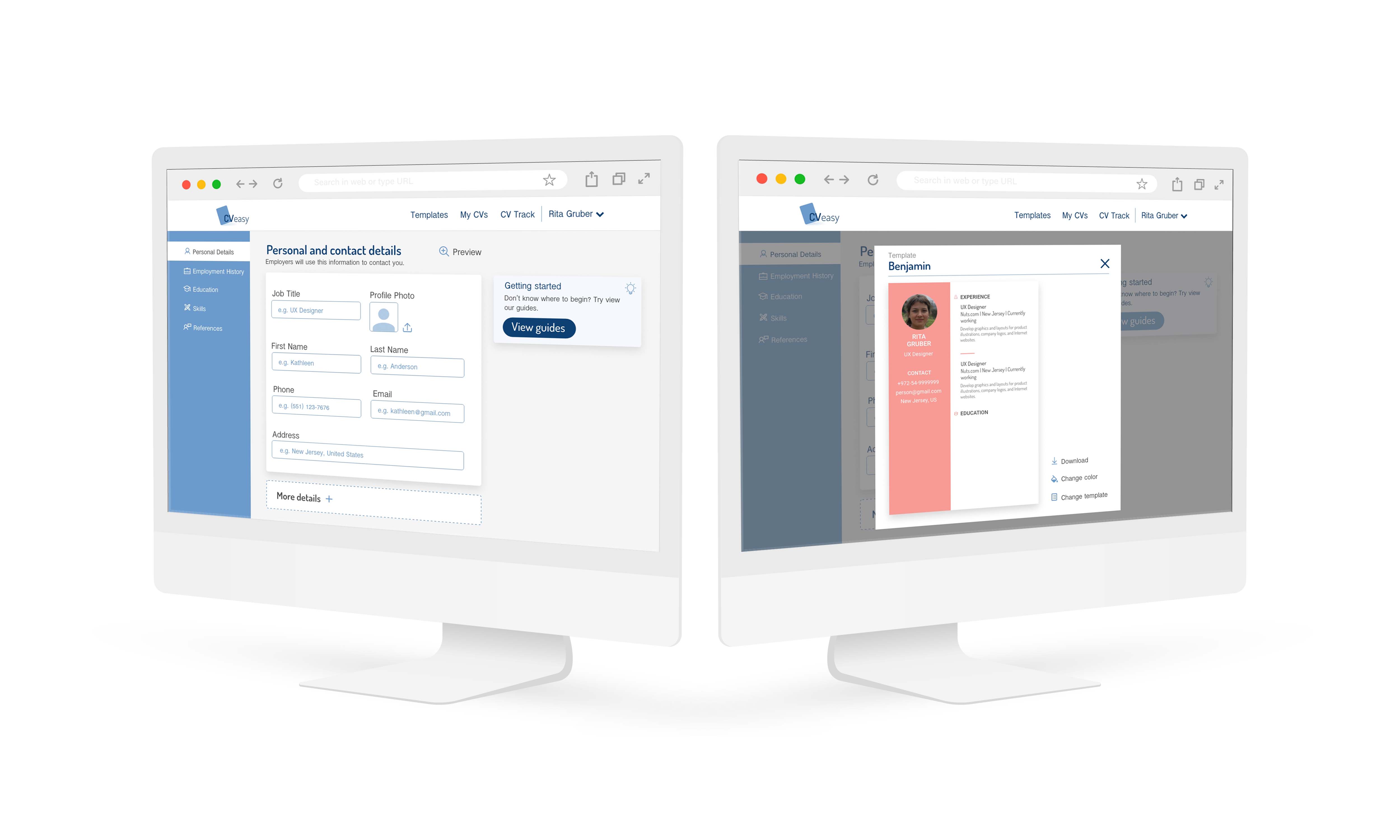
CVeasy
Online Professional CV Creator
The project was created during UX course led by Tal Florentin
Remember the last time you created your CV? Did you suffer lack of motivation and maybe a real fear of sitting in front of the computer to begin with? Where should I start? What should it look like? and should I include my student work experience?
I read and analysed research articles and blogs in order to understand what is a winner CV. Following this research, I realised that there is a common significant problem among job seekers: WRITING ANXIETY.
“Are people too lazy to look up the proper way to write their CV or a cover letter? Don’t they care about finding a job? Don’t they think good writing is important in the job search?”
.Katharine Brooks | Ed. D
“There is a lot of fear holding people back. Fear of rejection. Fear of not doing a good job. Fear of writing in general.”
Neil Johnson | Career Coacher
The research led me to the conclusion that a good product should help users overcome their writing anxiety and guide them step by step through their CV writing process
PAIN | FEATURE |
|---|---|
Writing anxiety | CVeasy guides the user step by step in creating a CV. This lowers the level of anxiety in the writing process and increases the confidence and sense of ability of the user. |
Writing block | CVeasy offers sample phrases written by experts and thus helps to create a professional CV written in fluent language. Sample phrases assist in overcoming the “writing block” and allow building a document which is both professional and impressive. |
Incompatibility feeling | CVeasy offers a large library of expertly designed CV templates, all created by professional graphic designers. This makes it possible to create an aesthetically pleasing and well-designed CV’s even for those who are not design-oriented. |
Sense of uncertainty | The job seeker can track the sent CV document including recipients and whether it was opened. This may resolve a significant frustration during the job search process when the applicant is not aware whether the CV was actually sent and received. |
CVeasy guides the job-seeker in creating a self-tailored, professional and representative CV. It creates CVs that stand out amongst all other applications and may increase the chances of getting the job.
WINNING FORMAT
Creating a CV format that will meet market requirements and allow the candidate to stand out among all others
QUALITY
Creating a high quality, impressive and personal profile, in a very simple way and without having any design capabilities
NEW STANDARD
Creating a new standard in the CV job market
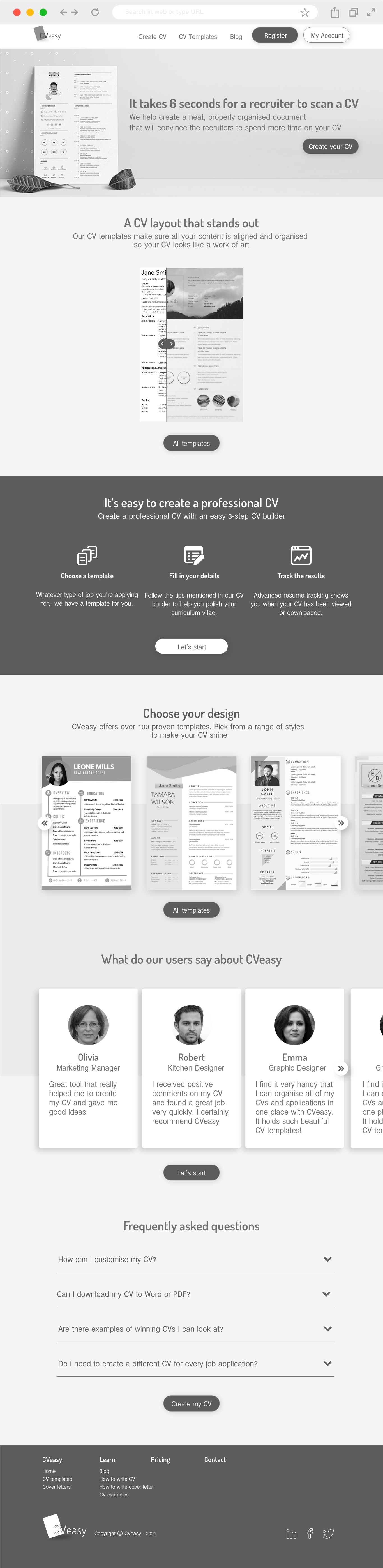
Home page
- An aesthetic and designed CV
- The interface guides the user step by step through the process of creating a CV
-
The product offers a rich variety of expert-designed CV templates that meet employers'
expectations and selection criteria
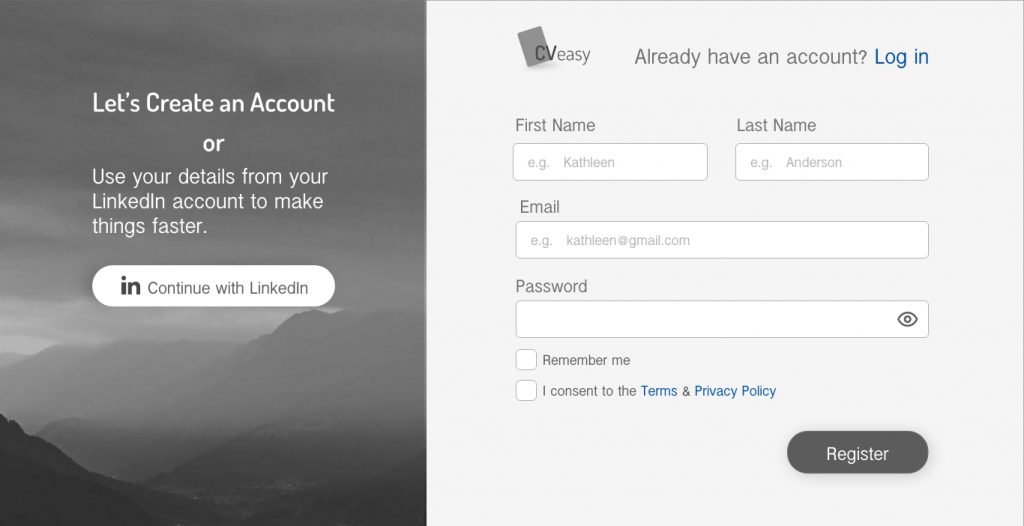
Registration screen
- The product offers to use LinkedIn account details to ease the registration process
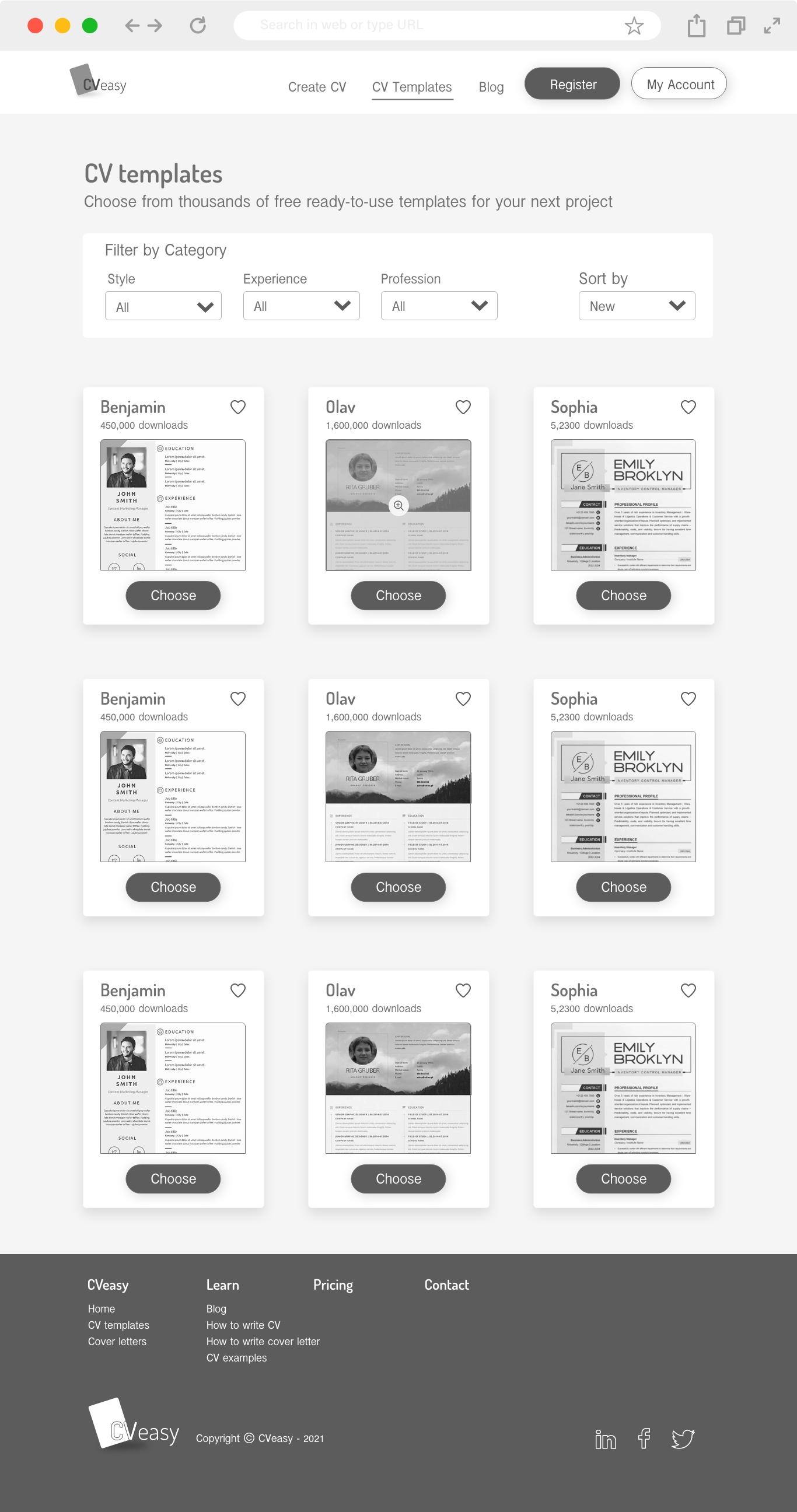
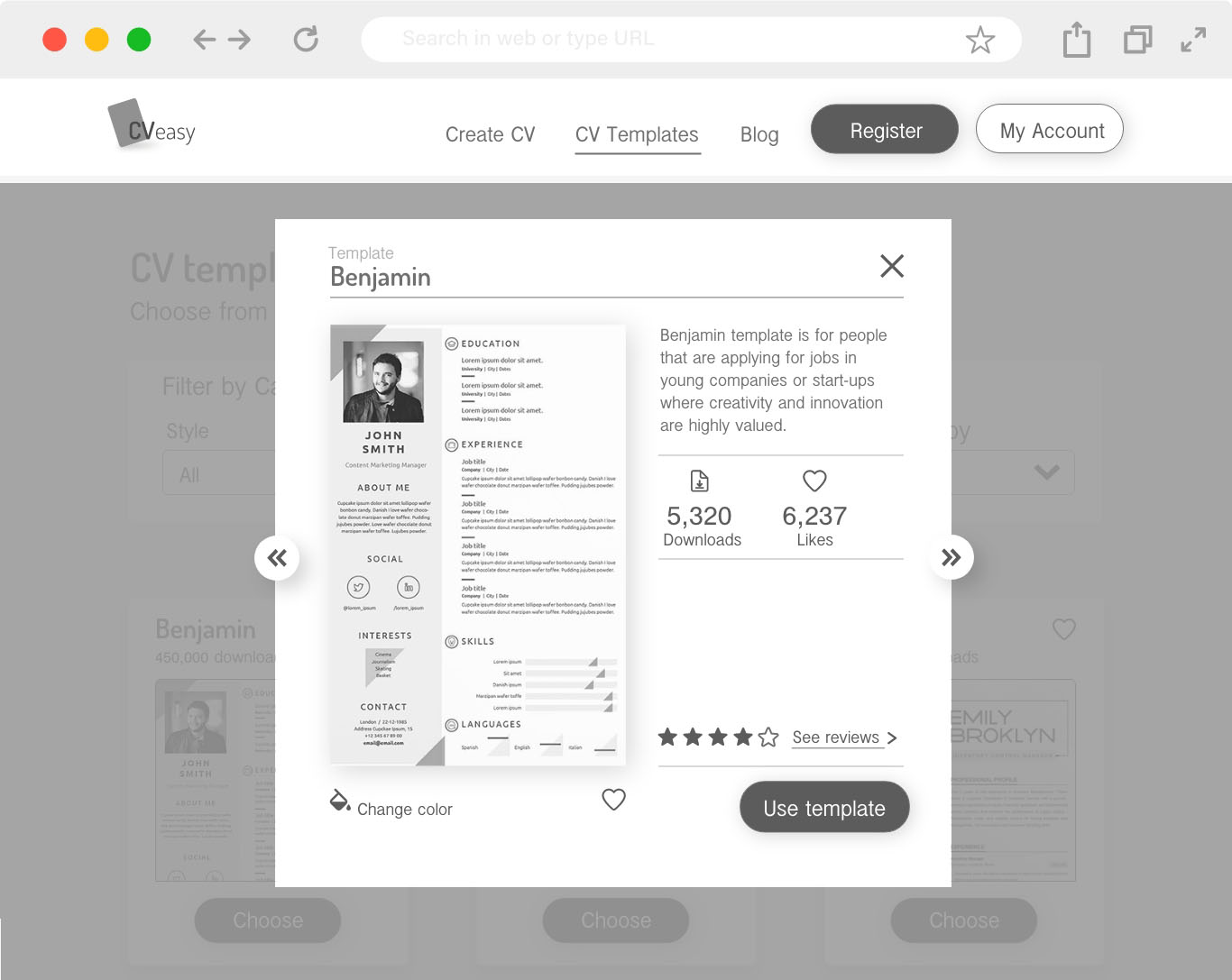
CV templates page
-
The product offers a rich variety of expert-designed CV templates that meet employers'
expectations and selection criteria - Downloads' number will help users decide which template to choose
CV templates page
- A brief description of the template: what type of job it is suitable for, the number of downloads and user reviews, all of which help to make a rational decision on which template to choose
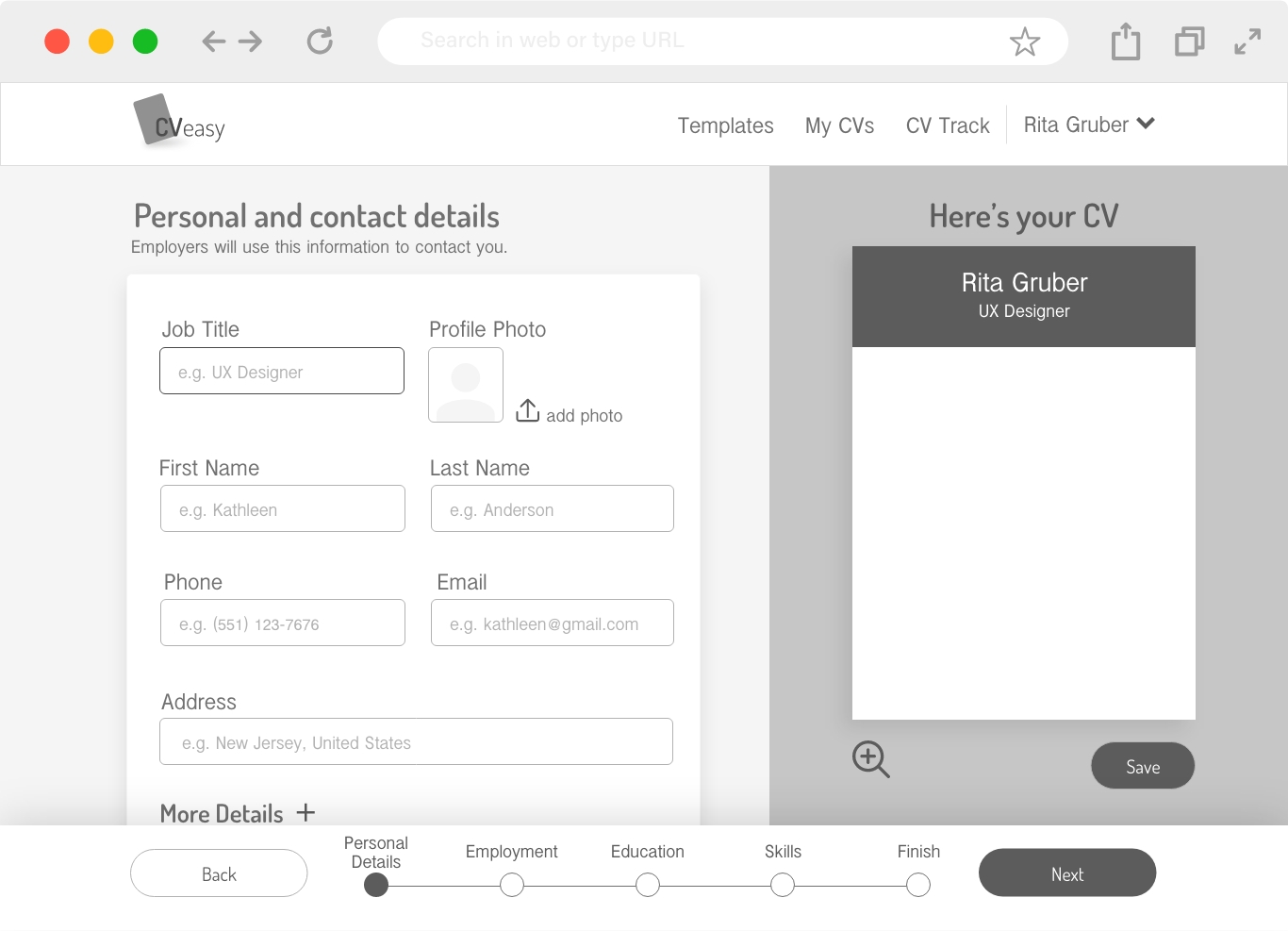
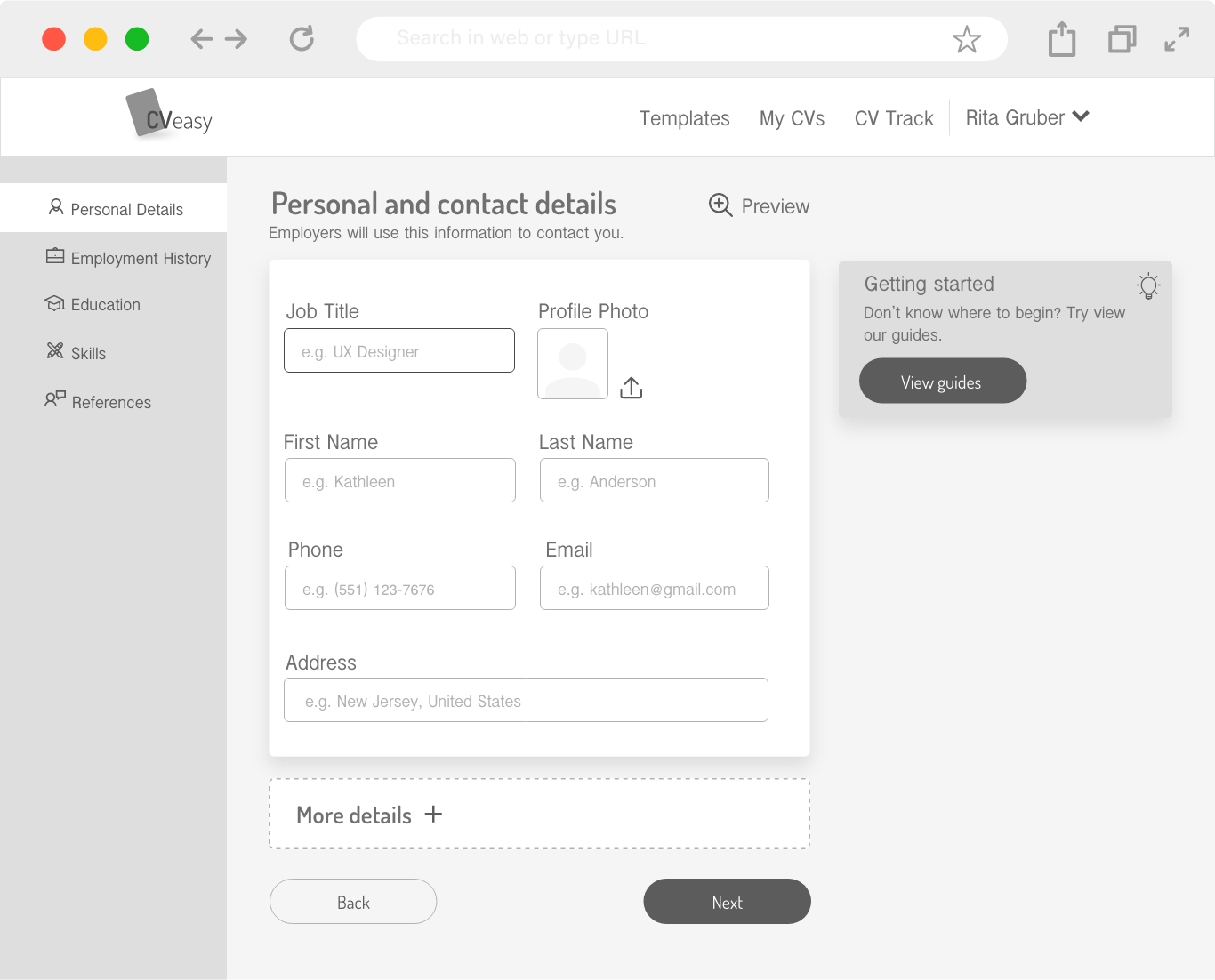
During the work I’ve built and examined two models of the “Filling in Details” screen
Since most of the pain points relate to the writing phase: fear of writing, a writing barrier and a sense of inability, I decided that the 2nd model could help users overcome those pain points better than the 1st model.
A preview of the CV document that takes up 1/3 of the screen width and a navigation bar at the bottom of the screen that indicates which stage the user in out of the total number of the existing steps.
Instead of viewing a preview of the document, there are cards that offer help with the writing process. The navigation bar appears on the side, it allows you to see all the steps and switch between the different steps. Vertical view of the steps is easy to scan.
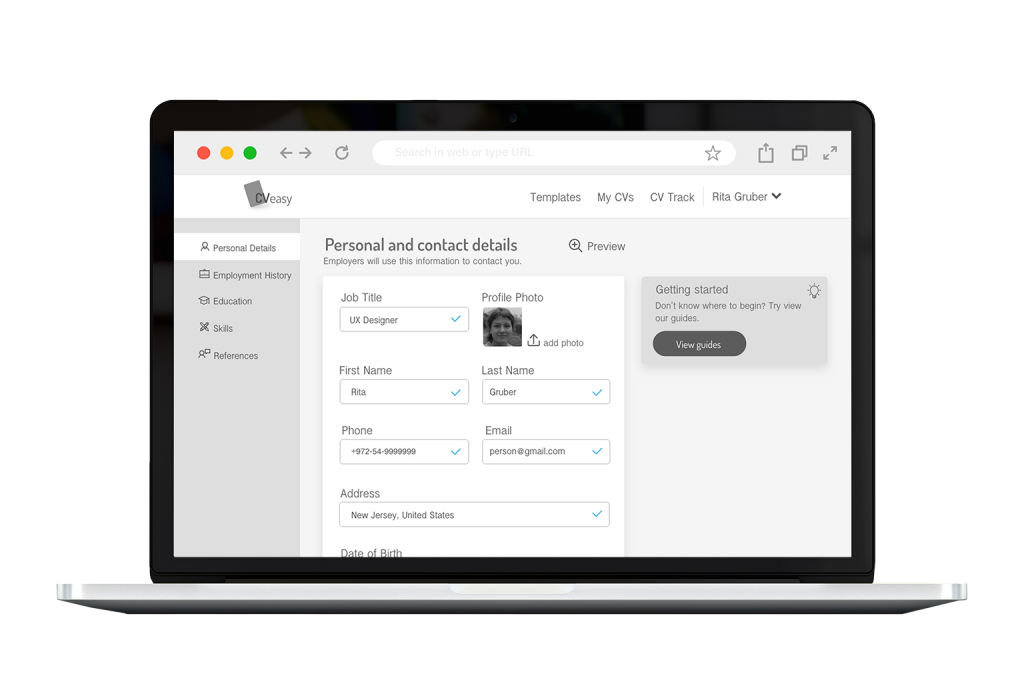
Personal details screen | Empty
- A side menu that shows all the steps in the CV building process. On the one hand the menu shows what stage the user is at the moment and how many steps left to complete the task. On the other hand the menu allows to reach each stage independently
-
The user can see the preview throughout the writing process. An impression of the expected end result raises
the motivation to finish the process - Since CV writing is accompanied by writing barriers and fear of the writing itself, the interface offers help and tips throughout the process and thus lowers the feeling of incompetence and treats the "writing barrier" problem
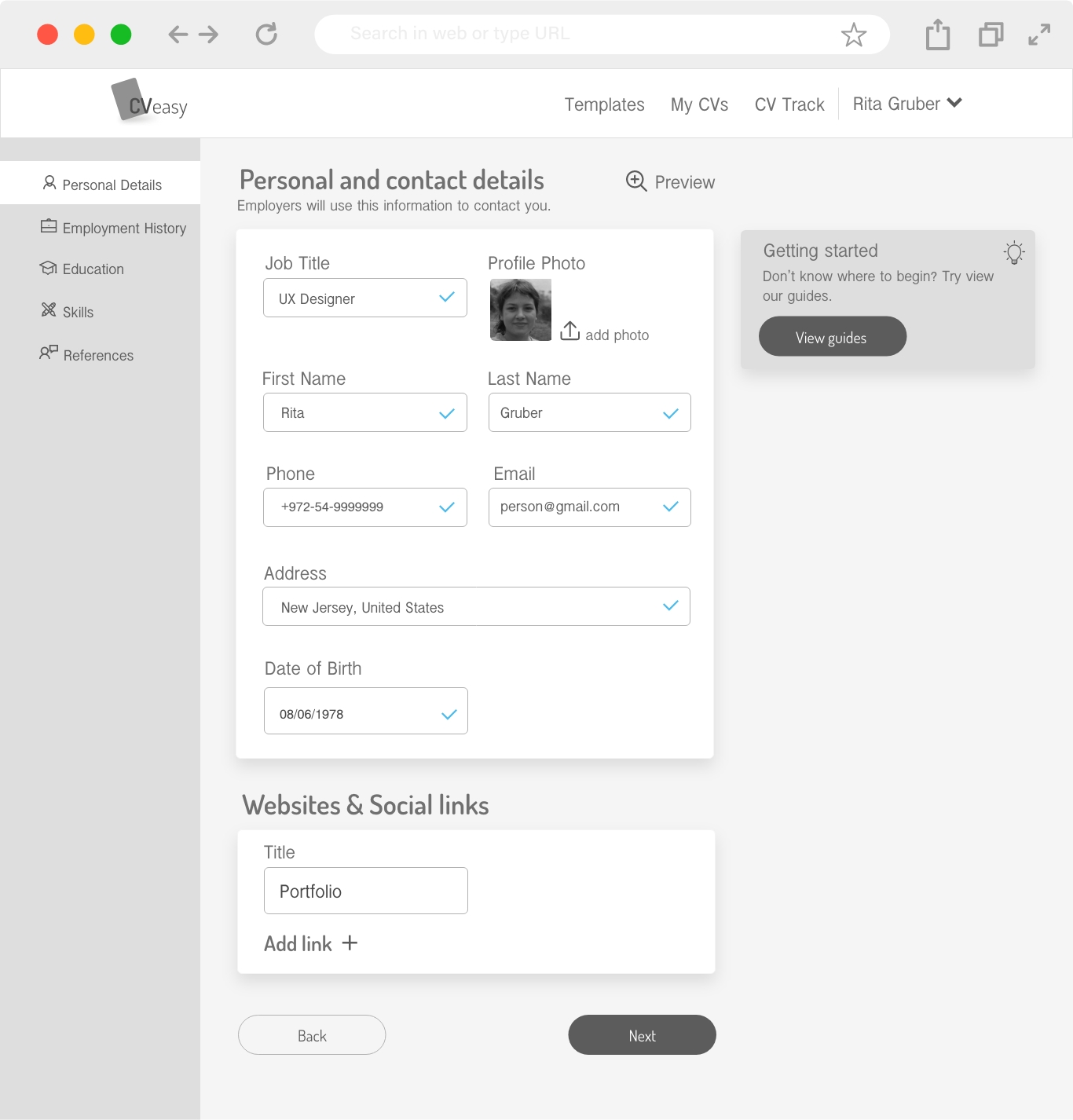
Personal details screen | Filled
- After filling in the details there is an indication for finishing the step
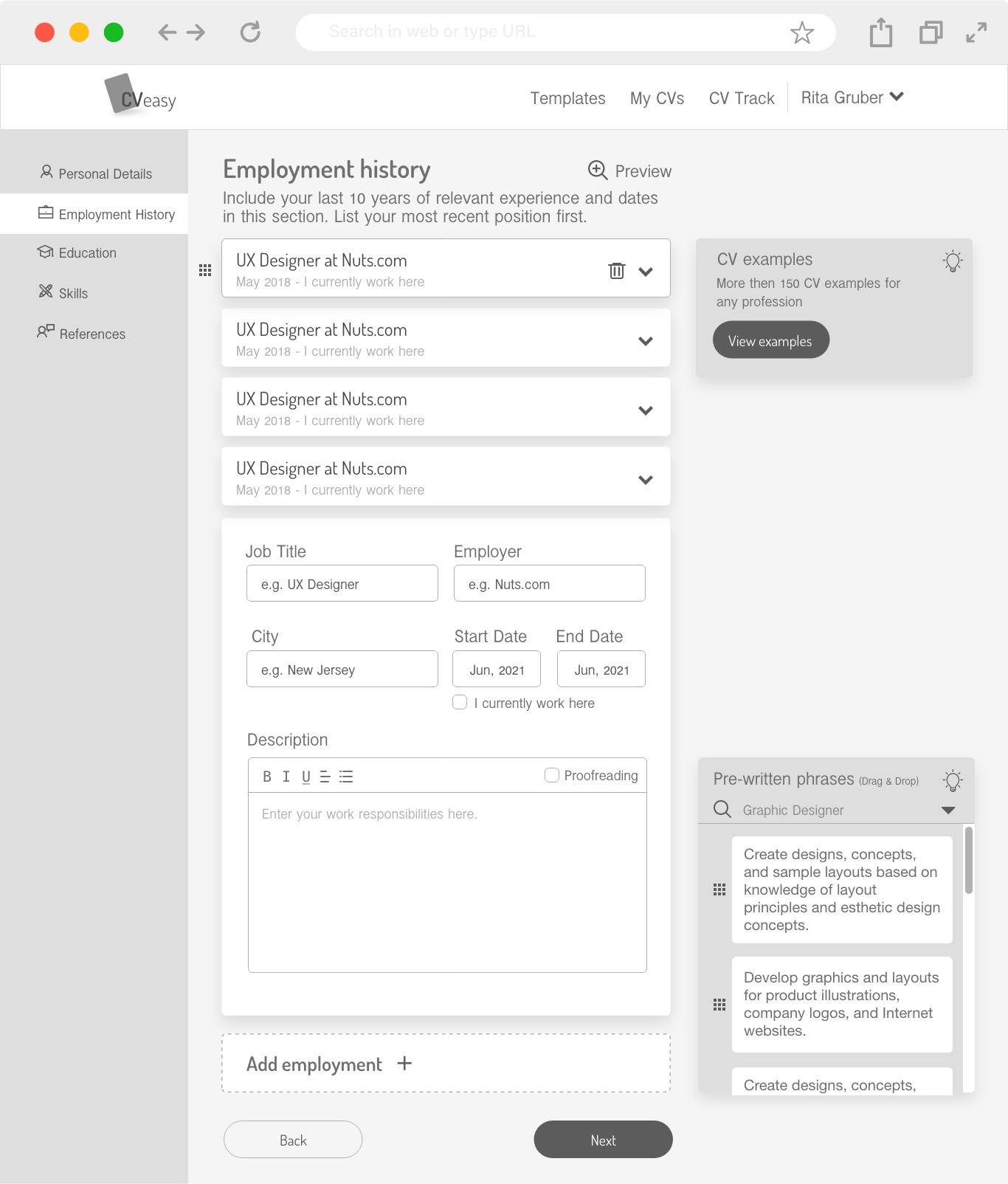
Employment history
- The employment cards can be moved and their chronological order can be changed easily
- The interface offers ready-made key phrases in professional language depending on the chosen field and profession. The sentences can be added by dragging them to the writing field
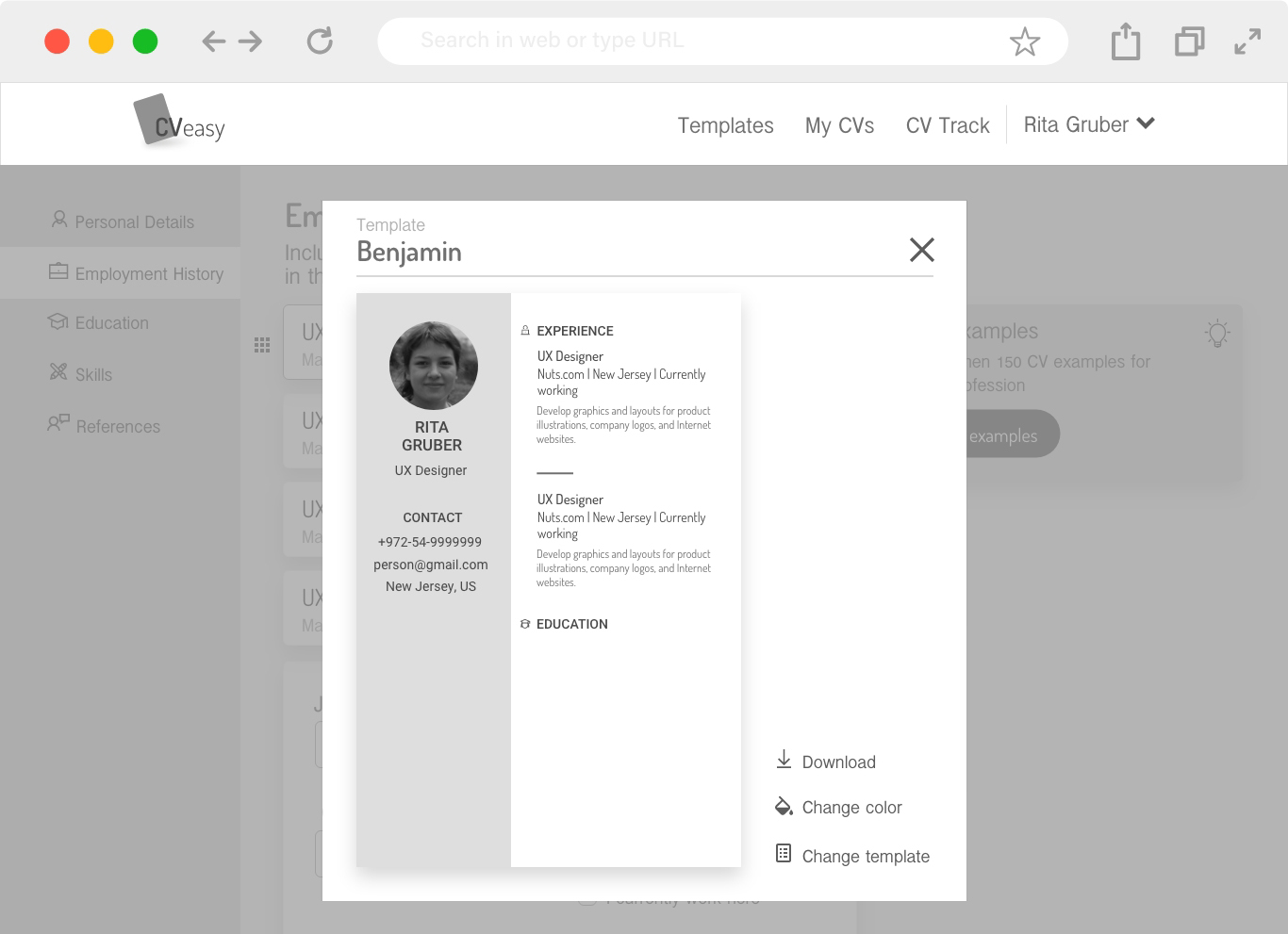
Preview my CV
- CV preview that enables to change the template or just the colors and download the file to your computer
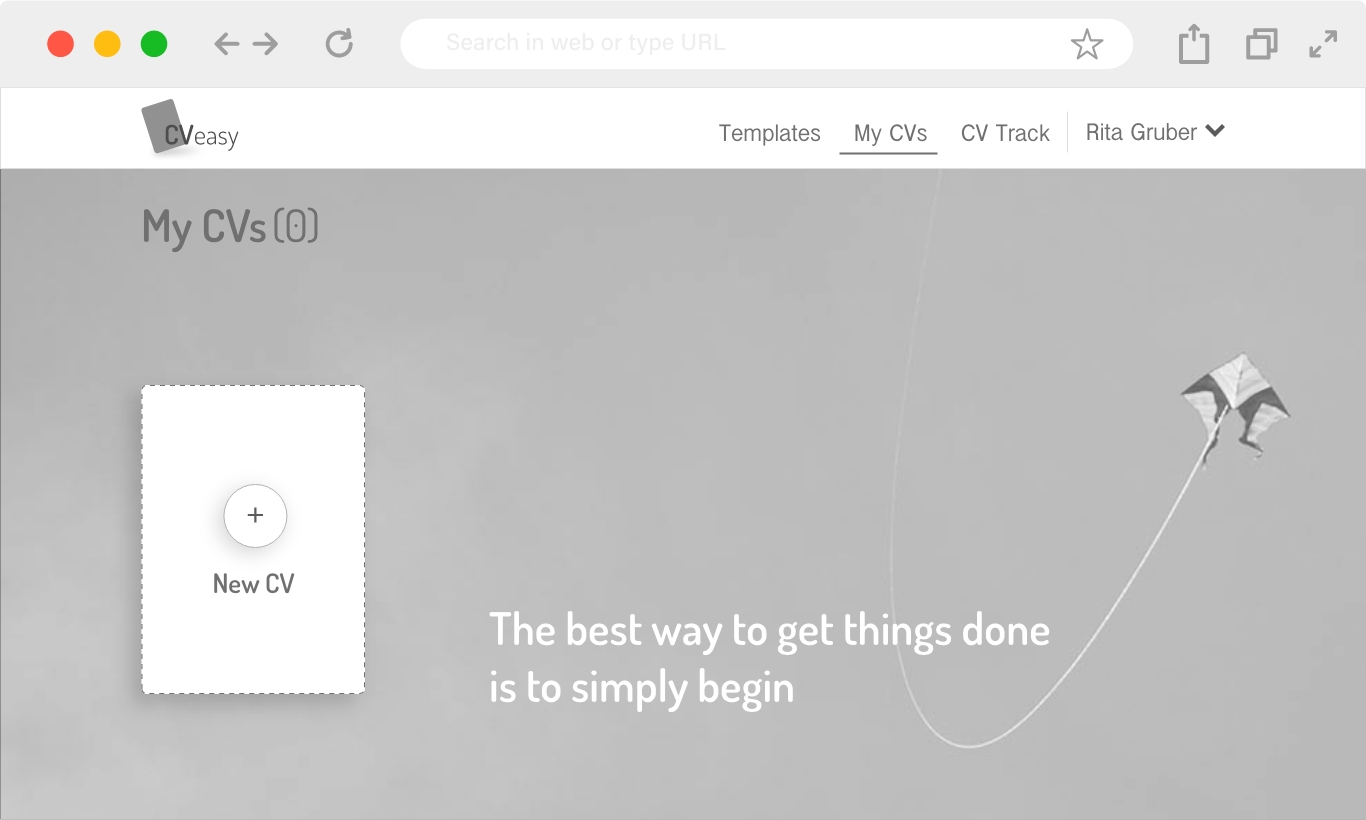
My CV page | Empty
- CV preview that enables to change the template or just the colors and download the file to your computer
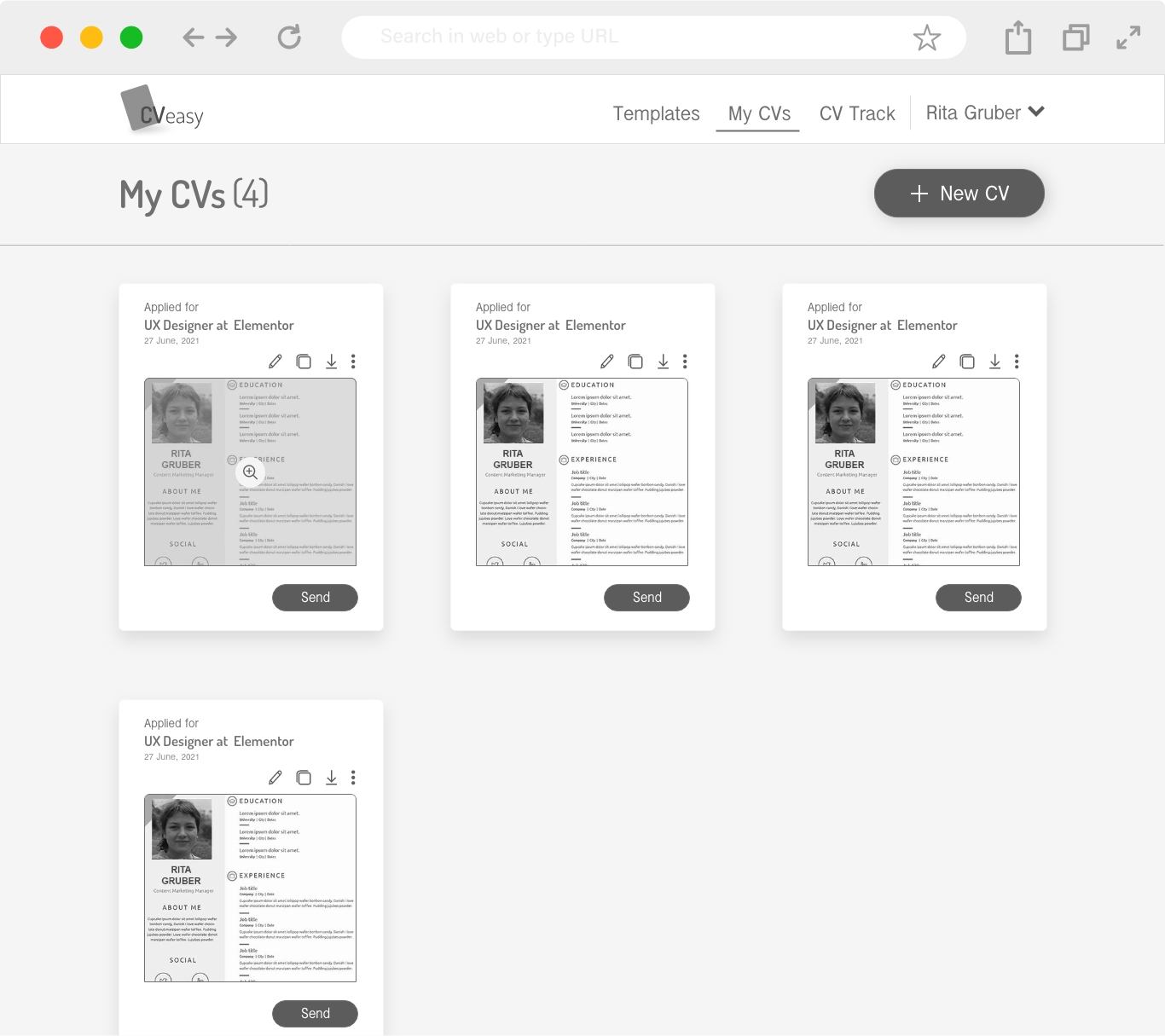
My CV page
- The user can edit an existing CV, duplicate it and make adjustments, download and send
Online professional CV creator that helps users overcome their writing anxiety and guide them step by step through their CV writing process
THANK YOU FOR READING